
After spending 5+ years in cybersecurity working on commercial VPNs, I revisited my favorite VPN providers to collate the very best VPN browser extensions.
Having tested hundreds of providers, NordVPN comes out on top.
NordVPN’s extension for Chrome, Firefox, and Edge is the most complete one I installed: it runs on its own without the desktop app, lists every country NordVPN serves, and folds Threat Protection Lite, per-site split tunneling, and WebRTC leak protection into a lightweight add-on.
It offers fantastic customer support, a considerable number of server locations, and ensures the highest encryption standards.
Check out NordVPN’s exclusive deal here.
Top 3 VPN Browser Extensions

Surfshark
Best for unlimited browser use
- Unlimited simultaneous connections
- Servers in 100 countries
- CleanWeb blocks ads and malware

NordVPN
Best for Chrome, Firefox and Edge
- Threat Protection Lite built in
- Per-site split tunneling
- WebRTC leak protection

ExpressVPN
Best for full-app browser control
- Chrome, Firefox, Edge, Brave, Vivaldi
- HTML5 geo-spoofing and WebRTC blocker
- 10 to 14 simultaneous connections
Surfshark and ExpressVPN are my second and third VPN browser extension picks as they include a range of valuable features, and Surfshark’s pricing is hard to beat.
NordVPN might not work for everyone, so I’m tasked with finding the right VPN browser extension for you.
Read on to find out which providers made my list.
The Best VPN Chrome Extensions At a Glance
Short on time? Here’s a quick roundup of all the VPN browser extensions and some reasons to consider them. If you want to learn more about each provider, you can find out more further in this article.
- NordVPN’s browser extension works on its own, allows access to all of its server locations, and builds in Threat Protection Lite, split tunneling, and WebRTC leak protection.
- Surfshark allows unlimited simultaneous connections at a budget price, bundles CleanWeb, and bypasses most geo-restricted websites.
- Express VPN’s browser extension is packed with privacy-shielding features to hide your online identity, supports the widest range of browsers, and can unblock the world’s best content effortlessly.
- Private Internet Access’s VPN browser extension has added features like auto-form filling and microphone/webcam blocking and has servers in 91 countries.
- Hotspot Shield’s VPN browser extension has great speeds across a generous selection of servers and includes unlimited bandwidth.
- CyberGhost’s free VPN browser extension protects your privacy and has servers available in four countries, perfect for remaining anonymous online.
NordVPN - Best Overall VPN Browser Extension

Supported browsers: Chrome, Firefox and Microsoft Edge
The NordVPN browser extension is a lightweight version of the native VPN app, and it’s the one I leave installed. NordVPN is my top pick because it does the two things a browser add-on should do – hide your browsing from the moment you click connect and get you into geo-blocked sites – and then keeps adding protection that most extensions leave to the full app.
A standalone extension with access to all its locations
Unlike ExpressVPN’s extension, NordVPN’s doesn’t need the desktop app installed. It’s a proxy that lives entirely in your browser, so on a work laptop or a shared PC where you can’t install software, it’s the one that still works.
Read Also: Claim NordVPN 3 Year Deal
The browser extension is simple to set up, meaning your identity is hidden from the moment you click connect.
After you install the extension, you’ll see two buttons; one connects you to the nearest server, the other lets you pick a country from NordVPN’s full list – the same 150 countries and 7,000+ servers you’d get in the app. You choose the country, and the extension picks the fastest server there for you.

Protection From Malicious Sites and Opens a World of Streaming
NordVPN’s browser extension is basic to look at but includes protection features you’ll be glad of.
Threat Protection Lite is the most interesting: it blocks ads and pop-ups, stops phishing attempts, and warns you before you enter a malicious website – all inside the extension, with nothing else installed.
Its split tunneling lets you add sites to a bypass list that skips the VPN – your online bank in one tab, a foreign YouTube catalog in the next – and WebRTC leak protection is on by default, so your real IP address can’t slip out through the browser’s own plumbing.

NordVPN unblocks all major content restrictions in a breeze, so BBC iPlayer, Hulu, Netflix US, and more will be yours from the moment you hit connect.
At times, I encountered the Netflix US proxy error when attempting to use a non-US server, but wiping your cookies and cache seems to fix this quickly.
Because it’s a proxy, the extension only covers what happens in your browser; for Steam, torrent clients, or email apps, you’ll still want the desktop app, which the same subscription covers on ten devices.
Pros
- Full list of server locations in 150 countries
- Works without the desktop app installed
- Threat Protection Lite blocks ads, phishing, and malicious sites
- Per-site split tunneling and WebRTC leak protection
- Affordable, with great customer support
- Getting connected is fast
Cons
- You pick a country, not a specific server
- Only browser traffic is covered, as with any proxy extension
Surfshark - Best Budget VPN Browser Extension

Supported browsers: Chrome, Firefox and Microsoft Edge
Surfshark’s VPN browser extension combines affordability with a great feature set to protect your browsing activity and ensures your online safety is paramount.
Surfshark is based in the Netherlands and backs its zero-logs policy with an independent audit and RAM-only servers, so nothing is written to disk that could expose your activity.
Reliable Server Locations That Bypass Geolocation Censors
Once Surfshark is downloaded and installed to your chosen browser, you’ll see a small ”S” icon.
Assuming you’re logged in and click this icon, you will have access to Surfshark’s full server list – 4,500+ servers in 100 countries – with several locations offering multiple servers to choose between.
Popular countries like the US do not have any bandwidth or speed limits.

Surfshark gets past content restrictions on Netflix, ABC, BBC iPlayer, and more without any hassle.
Having access to a range of servers is also useful as it allows you to access countries with larger content libraries such as Netflix US and Netflix UK from anywhere in the world.
CleanWeb is bundled into the extension too, blocking ads, trackers, and malware-laden sites before they load.
Unlimited Simultaneous Connections and Excellent Server Coverage
Unlike most VPN browser extensions on this list, which cap the number of simultaneous device connections you can have, Surfshark gives you as many connections as you want – totally unlimited.
This means you can hook up all of your devices with a single login.
You could even share your details with another household you trust, and they can connect at the same time without it impacting your connection.
Few other providers offer unlimited simultaneous connections without compromising connection speeds or stability, which is why Surfshark gets a strong vote.
Surfshark trails NordVPN on consistency rather than price: some of its servers were noticeably slower than others in my tests, and upload speeds lagged. As the cheapest way to cover every device you own, though, it’s the easy value pick.
Pros
- Very competitive pricing
- Unlimited simultaneous device connections
- Full server list in 100 countries with CleanWeb built in
- Easily unblocks geo-restricted content
Cons
- Some servers are slower than others
- Slow upload speeds
ExpressVPN - Widest Browser Support With Whole-Device Protection

Supported browsers: Chrome, Firefox, Edge, Brave, and Vivaldi.
ExpressVPN supports the most extensive range of browsers of all the extensions I tested, and it’s packed with advanced features – it held my top spot for a long time.
It offers access to every one of its server locations worldwide, thanks to the link between the browser extension and the VPN app.
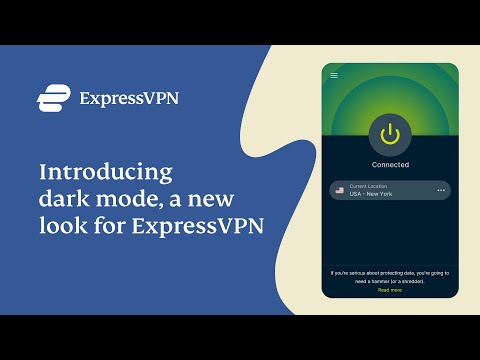
The ExpressVPN browser extension is built to run alongside the native VPN app, and although that seems like a bad thing, it means your entire device is protected, not just your web browser.
The Downside to the Native App Requirement
For the most part, having ExpressVPN’s browser extension and native app running in tandem is great, but that can become frustrating if you want an on/off VPN switch that only works with your browser.
In other words, it’s all of your internet traffic or nothing – there is a stripped-down proxy mode that runs without the app, but it drops most of what makes the extension worth having.
Although the browser extension is not as lightweight as other providers on the market, you shouldn’t notice too much of a difference with connection speeds as ExpressVPN’s servers are pretty rapid.
Advanced Features That Protect You and Bypass Content Restrictions

One of the nifty features that come with the ExpressVPN browser extension is HTML5 geo-spoofing which stops browsers from identifying your physical location as it blocks the use of HTML5.
Because of HTML5, many browser extensions fail to get past geo-restrictions in place with websites like Netflix or ITV Hub.
ExpressVPN will have no trouble in smashing through content restrictions, and that includes US Netflix plus a large number of other content libraries from across the globe.
A WebRTC blocker is built in as well, so websites can’t use the browser’s real-time communication channel to discover your actual IP address.
You cannot ignore the fact that ExpressVPN isn’t the cheapest VPN browser extension on my list, but it’s the app requirement that moved NordVPN ahead of it: NordVPN’s add-on gives you the full location list, ad and malware blocking, and WebRTC protection without installing anything else, at about the same price.
Seeing as you’re getting full access to the browser extension and its app, though, I still think ExpressVPN is a fair deal for anyone who wants whole-device protection controlled from the browser toolbar.
It may be worth you considering a VPN browser extension that’s more affordable if ExpressVPN is too expensive – there’s plenty more on this list!
Pros
- Full list of its server locations in 113 countries
- Lightning-fast download speeds
- No-logs policy means your data is never tracked
- HTML5 geo-spoofing and WebRTC protection included
- Protects your entire device, not just your browser
- Responsive customer support
Cons
- Plans are pricey
- Needs the native VPN app for anything beyond its basic proxy mode
Private Internet Access - A Solid VPN Browser Extension With Extra Features

Supported browsers: Chrome, Opera, Firefox and Edge
Private Internet Access (or PIA) is a great VPN browser extension choice as it comes bundled with lots of valuable features that far outweigh the subscription fees.
Great Server Speeds and Bypasses Geolocation Blocks
PIA does unblock the BBC iPlayer, and it can also successfully access regional Netflix content such as Netflix US, Hulu, and Disney Plus.
Download speeds and connections are pretty reliable thanks to its servers in 91 countries, way above the average compared to other providers.
Added Features That Prevent Unsafe Browsing
Private Internet Access is an affordable VPN browser extension that goes to extra lengths to ensure your online safety.
PIA uses 256-bit encryption technology, which aligns with the other providers on this list, but the extension goes beyond basic encryption to allow auto-form filling, and it also blocks third-party cookies and protects your microphone and camera access.
The browser extension goes even further by disabling access to Flash content, audits hyperlinks before you visit a site, and prevents WebRTC leaks.
Although Private Internet Access states it does not collect logs, its privacy policy gives little detail on what personal data is collected and stored. For example, there’s no mention of collection of timestamps, IP addresses or other data to potentially identify your internet activity.
PIA offers some excellent added extras which is great value for money, in my opinion.
Pros
- Supports unlimited simultaneous device connections
- Unblocks most major streaming sites
- Straightforward setup
- 30-day money-back guarantee
Cons
- Privacy policy is a bit unclear
Hotspot Shield - Best VPN Browser Extension For Beginners

Supported browsers: Chrome, Firefox and Microsoft Edge
Hotspot Shield offers many of the great features in its browser extension that you’d typically see in its native app, making it a strong contender on this list.
It has both a free and paid version of the browser extension, but you can access most of the premium version’s features in the free extension, which is ideal for those that don’t require the added extras.
Hotspot Shield Free Versus Premium
One of the significant differences between the free and paid plans for these browser extensions is the available servers.
The free plan allows access to just one server location in the US, while the paid subscription gives you nine. The paid locations are as follows:
- Canada
- Germany
- France
- India
- Netherlands
- Russia
- Singapore
- UK
- US
Compared to the other providers on this list, Hotspot Shield is undoubtedly lacking in server locations, but none of them returned poor speeds.
Read Also: NordVPN vs Hotspot Shield (In-Depth Comparison)
Hotspot Shield states on their website that “Hotspot Shield’s proprietary Hydra VPN protocol is verified by experts as the fastest, most secure on the market” which is used in their Chrome extension.
A Range of Great Features But Lacks Netflix Unblocking
Hotspot Shield’s paid and free versions have no trouble in unblocking Netflix US. However, if you want to get access to other Netflix libraries, then you’re out of luck.
Netflix Canada is the only other content library the remaining eight premium servers can unblock.
Feature-wise, Hotspot Shield excels as its browser extension includes WebRTC protection, a cookie, malware, and an ad blocker as standard.
It uses something called ”Sword” which diverts trackers from your browsing by issuing fake data to it rather than attempting to block the request.
If you’re only interested in unblocking Netflix US while protecting your privacy, then the free browser extension is all you need.
Pros
- 24/7 live tech support (paid version only)
- Unlimited bandwidth
- Military-grade encryption
- 45-day money-back guarantee
Cons
- Limited support with the free version
- Paid version offers only 9 servers
CyberGhost - Best Free VPN Browser Extension
Supported browsers: Chrome, Firefox and Edge
CyberGhost is a well-known brand in the VPN space, and although CyberGhost no longer offers its fully-fledged VPN service at zero cost, its VPN browser extension is completely free.
Simple Setup With Essential Protection
The CyberGhost VPN browser extension does not require the native VPN app installation to function. It’s totally bespoke.
Although it doesn’t have the same horsepower as the paid VPN app, the browser extension is lightweight and hides your IP address from your ISP to safeguard your internet activity.
A Small Number of Server Locations That Perform Well
The free CyberGhost browser extension provides access to eight servers in four locations. These include the US, Romania, Germany, and the Netherlands.
It’s not a great selection of servers, but it outweighs some of the availability other VPN browser extensions give you.
The CyberGhost browser extension can unblock BBC iPlayer and US Netflix with ease, but if you want to access other content libraries, you might wish to upgrade to the paid subscription.
If hiding your online identity and watching iPlayer or US Netflix is all you need, then the free CyberGhost browser extension is well worth checking out.
Pros
- No subscription required
- Robust encryption
- Unblocks iPlayer and Netflix US
Cons
- Customer support is limited
- A limited number of servers to choose from
How I Tested and Ranked The VPNs On This List
VPN browser extensions and native VPN app testing require an entirely different process to gather a list of the best results. Not every provider has an app and a browser extension, so checking out positive reviews about each provider is not the way to produce a “fair” list.
Check out the following factors to understand how I tested the worthiness of each VPN browser extension:
- Is there a good selection of servers available? The big-name VPN providers usually have the most significant number of servers available. Still, some limit the available number for their browser extension versus having the entire catalog for native app users. NordVPN, for example, offers its full server listing in both its app and VPN browser extension.
- Does it provide added extras? Although shielding your identity online is the primary purpose of a VPN browser extension, many providers on my list contain useful extras like timezone spoofing or ad blockers.
- Does it use modern encryption? All of the providers listed use 256-bit encryption, ensuring your data is never visible to your ISP. Anything below that I’ve kept off this list.
Each of the VPN browser extensions on my list is hosted by some of the largest brands in the VPN world, so you can be sure they are from a reputable source and can be trusted.
Read Also: Privacy Guides & Tutorials
How to Choose a VPN Browser Extension?
Selecting the right VPN browser extension is not a one-size-fits-all solution. It depends on individual requirements. The problem is, with so many providers, how do you know which browser extension is right for you?
-
First, understand which browser you are using, whether it’s Chrome, Firefox, Opera, Microsoft Edge, or another provider. For each VPN provider on this list, I’ve highlighted which browsers are supported.
-
Extensions should be easy to download, install and use, and should have you connected with just one or two clicks.
-
You’ll want to choose a provider that can shield your privacy while you surf the web, so your choice should use a minimum of 256-bit Encryption. All providers listed above use this technology.
-
The VPN browser extension should unblock at least some geolocation restrictions such as US Netflix or BBC iPlayer, especially if you intend to stream content.
-
Robust performance is essential to avoid a slow connection, especially if you’ll use the browser extension for large downloads or torrenting.
-
Do you need added features? Extras like ad blockers, auto-form filling, etc., are nice to have, but consider whether these are worth any added costs.
Any of the options on this list should tick almost every consideration above, although some of the free providers may have more limitations than paid subscriptions.
How to Install A VPN Browser Extension?
Installing a VPN browser extension is straightforward, and you’re often connected in a few clicks. Here’s how:
- Open your Chrome, Firefox, Opera, Microsoft Edge browser, etc., and head to the web store for your browser provider. Chrome would be https://chrome.google.com/webstore/ and Firefox is https://addons.mozilla.org/en-GB/firefox/.
- Type the name of your VPN provider into the search bar, Surfshark for example.

- Locate your provider on the results page and select it.
- Add to Firefox.

- Each web store is slightly different, but the process remains the same. Once you have completed the above steps, your extension is installed and will appear in your browser window’s upper-right. You may then be prompted to log in, and once you do, you’ll be able to connect.
VPN Browser Extensions Versus VPN Apps, What’s The Difference?
While VPN browser extensions provide some of the most sought-after features from a VPN provider, they lack some of the capabilities that come as standard with native VPN apps.
Most Chrome extensions are proxies, meaning the only data covered by the VPN encryption over your connection is via your web browser. That means anything outside of Chrome is visible to your ISP. This includes apps for online gaming like Steam, P2P file sharing via apps like uTorrent, emails you send via Outlook, and much more.
A native VPN application installs onto your Operating System (Windows 10, for example). It works in a way that ensures all of your internet traffic is rerouted via a virtual VPN tunnel.
Many of the VPN providers I’ve listed in this article have both a native app and a browser extension, so if you require complete protection, this might be the best way to go.
FAQ
Do VPN Browser Extensions Work?
In short, yes, VPN browser extensions work to hide your identity while surfing the web using a browser. Many providers allow you to unblock geo-restricted content, but the capabilities are limited compared to a full VPN suite.
In other words, a VPN browser extension limits you to anonymous browsing within a browser window instead of encrypting all your internet traffic.
Some VPN browser extensions are better than others in terms of speed and connection stability. The vast majority will have full support for Chrome browsers, while some only support Firefox or Microsoft Edge.
Does Chrome Have a VPN Extension?
Many browsers now include a VPN without the requirement of an extension. Unfortunately, Google Chrome is not one of them. Be aware, though, free web browsers bundled with VPNs should be used with caution, much like the safety of free browser extensions as mentioned above.
Are Free VPN Chrome Extensions Safe?
All of the providers on this list, both paid and free, have been vetted as safe to use. However, there are also lots of free VPN browser extensions out there that claim to secure your connection and safeguard your privacy. In reality, that’s not always true.
An initial indicator of whether a VPN browser extension is legit or not is if it asks you to sign in before you can use it. If an extension lets anyone login without authenticating, it leaves the software open to attackers and hackers on the hunt to steal your data.
Free VPN browser extensions often have terrible connection speeds due to having a low number of servers. Servers require some manpower to maintain them, and that means money needs to come from somewhere.
Free VPN Chrome extensions often rely on harvesting data without your permission to sell on to third parties or advertisers, so never handle sensitive data if you are unsure who has visibility of it.
Conclusion
From my perspective, NordVPN is the best overall of the VPN browser extensions I tested, with Surfshark and ExpressVPN coming in as runner-ups.
NordVPN’s extension gives you the full location list without installing the app, blocks ads and malicious sites with Threat Protection Lite, and lets you route chosen sites around the VPN – and it does all of that on Chrome, Firefox, and Edge.
It seamlessly unblocks your favorite streaming services and provides fantastic customer support.
Sign up for NordVPN and get the best deal, TODAY!





