
RARBG is gone. The torrent site shut down on 31 May 2023, and its team confirmed there are no official proxies, mirrors or rebuilds – so every site using its name today is a clone, and clones are where malicious ads and fake downloads concentrate.
The sites that took its place, such as 1337x, TorLock and The Pirate Bay (my RARBG alternatives guide covers them), carry the same risks RARBG did – malicious ads, fake files, and peers who can see your IP address – so you still need a VPN, and NordVPN is the best one for the job.
It matched the fastest download in my tests at 27 Mbps and allows P2P traffic on all its standard servers. Its Threat Protection blocked roughly twice the ads that ExpressVPN’s and Surfshark’s filters managed in my test, and on the Complete plan it also scans the files you download for malware. An audited no-logs policy, a kill switch, and SOCKS5 proxies keep your real IP out of the swarm.
But there are other VPNs that passed my torrenting tests too.
There’s Surfshark (budget pick), ExpressVPN (automatic obfuscation), CyberGhost (Large server network), and Private Internet Access (best SOCKS5 Proxy and port forwarding).
So, read this guide to the end to learn how to torrent safely on RARBG’s successors using any of these VPNs.
Top 3 VPNs for RARBG Alternatives (September, 2026)

Surfshark
Best for torrenting on a budget
- P2P on all 4,500+ servers
- Unlimited simultaneous connections
- CleanWeb ad and malware filter

NordVPN
Best for safe torrenting
- 27 Mbps torrent downloads
- P2P on all standard servers
- Audited no-logs and kill switch

ExpressVPN
Best for VPN-blocking networks
- Automatic obfuscation
- 27 Mbps over Lightway
- Port forwarding on routers
What Happened to RARBG, and Where Did Its Users Go?
RARBG was one of the biggest torrent sites of its time, known for its verified uploads and clean interface. It closed on 31 May 2023: the team said some of its members had died of COVID complications, others were fighting on both sides of the war in Ukraine, and inflation had made the running costs impossible to cover.
Within a week, TorrentFreak was reporting on knock-offs trading on RARBG’s name, and the RARBG team confirmed that none of them were theirs. Those clones make their money from ads, and clones of big torrent sites have been caught serving malicious ads and fake torrent files – so don’t go looking for a RARBG mirror.
The closest replacements are in our list of the best torrent sites: 1337x for general releases, TorLock for verified torrents, The Pirate Bay for older files, and EZTV for TV. Several of them are blocked by court order in the UK and elsewhere, which is where a VPN comes in.
If You Want to Torrent Safely on RARBG’s Successors, Here’s a Quick Look at the 5 VPNs to Use
I know you want to get down to business.
But check out these 5 VPNs quickly before you download anything.
- NordVPN – Best VPN for RARBG Alternatives With Download Scanning
- Surfshark – Budget-Friendly VPN for RARBG Alternatives
- ExpressVPN – Automatic Obfuscation and Router Port Forwarding for Torrenting
- CyberGhost – Largest Server Network for Unblocking Torrent Sites
- Private Internet Access – Best Adblocker + SOCKS5 Proxy for Torrent Sites
The testing was pretty exhaustive, involving over 20 free and premium VPNs.
Torrenting speeds were one of the critical factors that played a huge role in ranking these VPNs. Likewise, I used base internet speeds of 30 Mbps for all the speed tests to see how each VPN manages its connection drop. I ran these tests while RARBG was still online, but the download speeds, ad-blocking scores and features apply to any torrent site.
So read on to see how each VPN held its ground.
5 Best VPNs for RARBG Alternatives
Ready to see how to get around torrent-site blocks, copyright notices, and security threats using a VPN? Let’s go!
NordVPN - Best VPN for RARBG Alternatives With Download Scanning

| Location | Servers | Connections | Average Speeds | Best Deal |
|---|---|---|---|---|
| Panama | 8400+ | 10 | 27Mbps | Show Offer |
Protection Against Leaks, Malware, and Hacking
The real danger on a torrent site isn’t only the page; it’s the file you double-click ten minutes later. That’s the lens I judge a torrenting VPN through, and it’s why NordVPN heads this list.
For starters, it has a strict no-logs policy that independent auditors have confirmed more than once. Thus, any internet traffic that passes through its servers is shielded from everyone else.
This is further bolstered by NordVPN’s location in Panama, which isn’t part of any surveillance alliances.

You also get next-generation encryption that scrambles your traffic, making it hard for anyone to decipher anything on the off chance they gain access to your online activities. This is necessary to block hackers and your Internet Service Provider over public Wi-Fi or mobile networks.
Additionally, NordVPN offers you a kill switch (two on Windows) to disconnect your internet when your VPN connection is interrupted while torrenting. Inconvenient as it may be, this stops your actual IP from leaking as you never know who may be watching.
There’s also a very reliable split tunneling feature to encrypt just your torrent download traffic rather than forcing all your internet apps/programs to use the VPN. After all, the VPN encryption may be counterproductive with apps like PayPal that are sometimes incompatible with VPNs.

Lastly, Threat Protection, which comes with the Complete and Ultra plans, keeps online trackers, malware, and malicious pop-up ads from loading on your device when you open a torrent site. A quick ad blocker test yielded a score of 62/100, roughly double what ExpressVPN and Surfshark managed in similar tests, though CyberGhost and PIA blocked more.
Where it pulls clear of the pack is what happens after the download finishes. Threat Protection also scans downloaded files for malware and keeps running even when you’re not connected to a server. CleanWeb, Block Content, and MACE all work at the domain level and never look at the file itself, and on a torrent site that’s the check that matters most.
Port Forwarding
Like Surfshark, NordVPN doesn’t support port forwarding on its standard servers – NordVPN only offers it with its paid Dedicated Server add-on. You can still seed without it, just less efficiently, because fewer peers can connect to you.
If seeding is a priority, PIA and ExpressVPN (on a router) are the two on this list that offer port forwarding without an extra add-on.
Torrent Client Support
NordVPN fully supports torrenting (although it has a tough stance on illegally distributing copyrighted materials). This support extends to torrenting clients like Vuze, Deluge, uTorrent, BitTorrent, and qBittorrent.
For security purposes, you can also bind the clients to the VPN, ensuring they only work when NordVPN is active.
NordVPN also runs SOCKS5 proxy servers in the US, the Netherlands, and Sweden that you can drop straight into qBittorrent or uTorrent using the service credentials from your Nord Account. There’s no in-app toggle like PIA’s, so it’s a manual setup, but it gives you a proxy-only option for the client on top of the VPN tunnel.
Torrenting Speeds

For the speed test, I downloaded Abraham Lincoln, a 1936 copyright-free classic. The file was 4.65 GB, and NordVPN pulled it down at average speeds of 27 Mbps, finishing within 3 minutes and matching the quickest result of the five. To get the best results, NordVPN relies heavily on the NordLynx protocol, which combines the best of security and speeds.
NordVPN also allows P2P traffic on all its standard servers, so you don’t have to waste time trying random servers until you find one that allows torrenting. Pick one close to you for the best speeds.
Unblocking Torrent Sites Anywhere

NordVPN offers 8,400+ servers in 167+ countries, so there’s always a nearby country where a blocked torrent site loads – UK providers, for example, have blocked 1337x and The Pirate Bay by court order for more than a decade. Its specialty servers add obfuscated servers for networks that block VPNs.
Device Compatibility
Like all the other alternatives, you can use NordVPN on Android, iOS, macOS, and Windows to torrent safely and securely.
NordVPN also allows up to 10 simultaneous device connections, level with ExpressVPN’s Basic plan and three more than CyberGhost (Surfshark and PIA set no limit). With this, you can download multiple files simultaneously on different devices, reducing your waiting times.

On the price front, NordVPN costs more than Surfshark, CyberGhost, and Private Internet Access.
It offers a 30-day money-back guarantee, and you can take advantage of these amazing discounts right now.
Pros
- P2P allowed on all standard servers
- 27 Mbps, matching the fastest download in my tests
- Threat Protection scored 62/100 and scans downloads on the Complete plan
- Kill switch (two on Windows) and an audited no-logs policy
- SOCKS5 proxies for your torrent client
- 8,400+ servers in 167+ countries to unblock torrent sites anywhere
Cons
- Port forwarding only with a paid add-on
- SOCKS5 needs manual setup
- Slightly expensive provider
Surfshark - Budget-Friendly VPN for RARBG Alternatives
| Location | Servers | Connections | Average Speeds | Best Deal |
|---|---|---|---|---|
| The Netherlands | 4500+ | Unlimited | 26Mbps | Show Offer |
Protection Against Leaks, Malware, and Hacking
Surfshark, like other VPN providers on this list, has a strict no-logs policy. You can rest easy knowing your online activities downloading torrents can’t be seen by anyone.
Not even the government can compel Surfshark to give this information up.

There’s also a kill switch (with two on Android devices) that prevents IP and DNS leaks by disabling the internet anytime your VPN connection is interrupted. Inconvenient, but being safe is better than being sorry.
Furthermore, this VPN service provider is equipped with military-grade encryption, which keeps your activities from nosy parties like hackers, the government, and your ISP. This comes in handy when you’re downloading torrents over public Wi-Fi networks or mobile data.
There’s also a split tunneling feature that allows you to only route torrent traffic through the VPN, leaving banking and other sensitive apps to use the regular internet. This has the added advantage of relieving the VPN of the encryption burden, making it faster and more responsive.

Finally, there’s an ad blocker called CleanWeb that deals with trackers, ads, and malware, stopping them from loading on your device every time you open a torrent site.
During the ad blocking tests, CleanWeb registered a score of 33/100, a little higher than ExpressVPN but about half of NordVPN’s result. Even so, a significant number of ads still slipped through, and it doesn’t scan the files you download.
Port Forwarding
Surfshark doesn’t allow port forwarding for security reasons.
The problem with seeding is that it exposes your IP address to other peers downloading the same file. So, if a hacker happens to be among them, it could be disastrous for you.
Torrent Client Support
Like NordVPN, Surfshark works with torrent clients like Deluge, Vuze, uTorrent, BitTorrent, and qBittorrent. You can also bind the torrent client to Surfshark and ensure it only runs when Surfshark is active.
Sadly, there’s no SOCKS5 Proxy.
Torrenting Speeds

The Surfshark VPN app registered connection speeds of 26 Mbps, taking about 3 minutes to complete the download, a megabit behind NordVPN and ExpressVPN. A few tricks to ensure you get the best speeds are choosing the closest server to your physical location, and using the WireGuard or IKEv2 VPN protocols.
These two protocols are the fastest and will combine well with fast base internet speeds and suitable servers to significantly cut down your download waiting times.
Unblocking Torrent Sites Anywhere

Surfshark offers over 4,500 servers in 100 countries, well short of what NordVPN and CyberGhost offer.
Plus, unlike CyberGhost, Surfshark doesn’t have any servers set aside for torrenting, but that doesn’t impact its performance.
After all, Surfshark allows P2P traffic on all its servers, like NordVPN and ExpressVPN.
Device Compatibility
Like other listed VPN services, Surfshark is compatible with Windows, macOS, Android, and iOS. Since you can torrent on any of these devices anywhere, Surfshark’s compatibility is convenient.
Likewise, Surfshark is one of two VPNs on this list (with PIA) that allow unlimited device connections. Thus, you can protect your downloads from copyright trolls on as many devices as you want simultaneously.
It concedes ground to NordVPN on the safety net, not the speed: CleanWeb let through roughly twice as many ads in my test and doesn’t inspect the downloaded file, and there’s no SOCKS5 proxy to lean on. If the monthly cost is the deciding factor, though, Surfshark is the obvious choice.
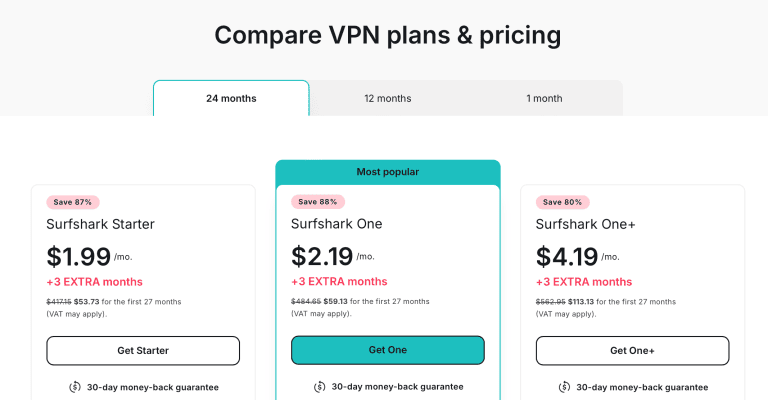
Another great advantage is the price tag. Surfshark costs less than NordVPN and comes with a 30-day money-back guarantee, and you can save more by grabbing these current deals on your next subscription.
Pros
- Offers torrenting support on every server
- Fast torrenting speeds
- Cheaper than NordVPN
- Unlimited simultaneous connections
- Unblocks torrent sites anywhere
Cons
- No Port-forwarding
- Scored 33/100 in adblocker tests
- No SOCKS5 proxy, and CleanWeb doesn’t scan downloads
ExpressVPN - Automatic Obfuscation and Router Port Forwarding for Torrenting

| Location | Servers | Connections | Average Test Speeds | Best Deal |
|---|---|---|---|---|
| British Virgin Islands | Not published | 10 | 27Mbps | Show Offer |
Protection Against Leaks, Malware, and Hacking
ExpressVPN tied NordVPN for the fastest download in my tests, and it brings two things nobody else here has in the same form: obfuscation on every server and port forwarding through its router app.
For starters, it doesn’t store any user data, using a proprietary technology called TrustedServer to ensure no data is ever written on physical hard drives. Everything is wiped clean with each reboot and that gives me peace of mind.
Thus, there won’t be any compromising data that can be tied to you for torrenting.

Furthermore, you get a reliable Network Lock kill switch that keeps your data safe when there’s an interruption to your VPN connection.
Otherwise, that momentary lapse can open the door for hackers lurking around torrent sites, or for copyright trolls to identify your real IP address.
Plus, you get an industry-standard AES 256-bit encryption that further fortifies your traffic from external interference, especially when using public Wi-Fi to torrent. You can also use the split tunneling feature to only route torrent traffic through the VPN, leaving all the other apps intact.

Finally, a Threat Manager feature keeps ads, malware, and trackers at bay every time you open a torrent site. However, this adblocker scored very low (28/100) in the adblocker test, the weakest result on this list and less than half of NordVPN’s.
Thus, a lot of ads slipped through, and that, more than anything, is why it doesn’t lead a roundup about sites whose main hazard is what they serve you.
Port Forwarding
ExpressVPN supports port forwarding on the router app.
It’s one of the few Virtual Private Networks on this list with this feature, which means you can seed your torrents with ExpressVPN.
However, there’s a risk of your personal information leaking out, which explains why this feature is only limited to routers.
Torrent Client Support
ExpressVPN allows unrestricted torrenting and enjoys compatibility with popular torrenting clients like uTorrent, BitTorrent, Deluge, qBittorrent, and Vuze. You can even bind your preferred torrenting client to ExpressVPN to ensure that it can only download torrents when ExpressVPN is active.
However, ExpressVPN doesn’t offer SOCKS5 proxies like NordVPN and Private Internet Access. But considering how fast the VPN client is with automatic obfuscation, you won’t miss much.
Torrenting Speeds

ExpressVPN is fast enough to handle heavy torrenting.
It pulled the same 4.65 GB Abraham Lincoln file down at average speeds of 27 Mbps, so it was downloaded in under 3 minutes, the same result NordVPN posted.
To attain the best speeds, I switched to the Lightway protocol, the fastest ExpressVPN protocol. Second, I chose the nearest server to my physical location to ensure the traffic covers a shorter distance when rerouting.
Unblocking Torrent Sites Anywhere

ExpressVPN has servers in 113 countries, second only to NordVPN on this list, although it no longer publishes a server count. Still, you can reach blocked torrent sites from anywhere, including the UK, where courts have ordered providers to block many of them.
ExpressVPN’s ultra-fast, automatic obfuscation will also get you past VPN blocks. Fortunately, it works across all protocols and servers, making it the only VPN here with this feature. In other words, you can beat VPN detection without affecting your speeds.
Device Compatibility
You can install ExpressVPN on Android, iOS, macOS, and Windows, platforms that support torrenting clients. That way, you can download torrents even on the move.
Add the fact that its Basic plan now lets you connect up to 10 devices simultaneously, level with NordVPN, and you have a handy VPN that significantly reduces waiting times for multiple users looking to download torrents at the same time.

Compared with NordVPN, you get the same download speed with a weaker ad blocker and no SOCKS5 proxy. It earns its keep if your ISP or network actively blocks VPNs, or if router-level seeding matters to you.
But you can take advantage of the 30-day money-back guarantee and these fantastic discounts to push the price further down.
Pros
- Supports torrenting
- 27 Mbps, tied for the fastest download in my tests
- Allows port forwarding on routers
- Compatible with multiple devices, ten at a time
- Unblocks torrent sites + automatic obfuscation
Cons
- Only scored 28/100 in adblocker tests
- No SOCKS5 proxy
CyberGhost - Largest Server Network for Unblocking Torrent Sites

| Location | Servers | Connections | Average Speeds | Best Deal |
|---|---|---|---|---|
| Romania | 8800+ | 7 | 24 Mbps | Show Offer |
Protection Against Leaks, Malware, and Hacking
CyberGhost is equipped with ironclad encryption that keeps unauthorized people from snooping around your online activities on torrent sites.
This also protects you against hackers if you torrent on public Wi-Fi while blocking Internet Service Providers from peeking into your actions on mobile data plans.
The VPN also has an automatic kill switch for IP and DNS leak protection. This kicks into action when the VPN connection is interrupted.
Like the other VPNs, CyberGhost has an ad blocker feature called Block Content. It handles online trackers, ads, and malware – three things that are prevalent on torrent sites.
Excitingly, it scored 73/100 in the adblocker test, the second best after Private Internet Access. So, it really did keep a lot of ads away.

Finally, you get split tunneling to exempt some apps from the VPN connections, leaving only torrenting applications. This boosts your overall performance as there’s less encryption slowing things down.
Port Forwarding
CyberGhost doesn’t allow port forwarding either, like Surfshark and NordVPN’s standard servers. Since you can comfortably torrent without seeding, CyberGhost didn’t see the need to create a data-leak risk.
Torrent Client Support
You can torrent without restrictions using CyberGhost, which supports torrent clients like BitTorrent, qBittorrent, Vuze, uTorrent, and Deluge.
Like the other alternatives, you can bind your client to the VPN to boost security by only allowing the client to launch when the VPN is active.
Torrenting Speeds

CyberGhost was fast enough to download the Abraham Lincoln movie in 3 minutes with average speeds of 24 Mbps.
CyberGhost is the only VPN here with servers dedicated to torrenting.
So, you don’t have to go around in circles to find the optimum server.
Simply tap on the nearest one to your location, switch to the WireGuard protocol, and you’ll be breezing through your downloads in minutes.
Unblocking Torrent Sites Anywhere

With over 8,000 servers, CyberGhost has the best unblocking capacity.
You can reach blocked torrent sites from anywhere with ease!
Device Compatibility
This Virtual Private Network has native apps for Android, iOS, Windows, and macOS. Thus, you can download torrents from your preferred device(s), provided you have a stable internet connection.
In addition, you can connect up to 7 devices at the same time, three fewer than NordVPN and ExpressVPN (Surfshark and PIA set no limit).

The VPN provider is also among the cheapest and the only one offering a 45-day money-back guarantee. Throw in these fantastic discounts, and you’ll save a lot in the long run. So grab them while they still last.
Pros
- Supports torrenting
- Fast torrenting speeds
- Largest server network
- Compatible with multiple devices
- Unblocks torrent sites + torrenting servers
- Scored 73/100 in adblocker tests
Cons
- No Port-forwarding
- Fewest simultaneous connections on this list
Private Internet Access - Best Adblocker + SOCKS5 Proxy for Torrent Sites
| Location | Servers | Connections | Average Speeds | Best Deal |
|---|---|---|---|---|
| United States | Unknown | Unlimited | 22 Mbps | Show Offer |
Protection Against Leaks, Malware, and Hacking
Last on the board is Private Internet Access.
For starters, PIA protects you against IP and DNS leaks with a reliable kill switch. For those on Windows and macOS, you get two kill switches for extra measure.
Additionally, the 256-bit encryption on this VPN ensures proper protection against government surveillance, hackers, and your ISP, who may want to snoop on your activities when they detect heavy bandwidth usage.

PIA also offers split tunneling to only direct torrenting traffic through the VPN for better overall performance.
The last thing anyone wants is to have an app like PayPal locked for suspicious activity because they tried transacting from their remote location that’s a continent away. Trust me, I’ve been a victim of that.

Moving on, PIA MACE was the best ad blocker on this list with a score of 77/100. In other words, most of the annoying ads were blocked from loading. Furthermore, PIA MACE deals with online trackers and malware, killing three birds with one stone.
Port Forwarding

PIA allows port forwarding, making it the best VPN here for people who want to seed.
You can activate port forwarding by checking the box next to the “Request Port Forwarding” option in the in-app settings. This connects you to one of the servers that allow port forwarding, allowing you to seed your torrents without issues.
Torrent Client Support
PIA also fully supports torrenting, and you can integrate popular torrenting clients like Vuze, uTorrent, qBittorrent, Bittotrent, and Deluge to ensure your downloads only happen when the VPN is active.
Once in a while, you may forget to turn on your VPN and start torrenting without protection. (And I immediately just realized how that statement came out wrong.)
Luckily, PIA offers a comprehensive SOCKS5 proxy that you can toggle on in the settings, but only with the MultiHop feature activated.
This will hide your IP addresses, remove the VPN encryption load and give you smooth speeds for faster torrenting.
Torrenting Speeds

PIA posted decent speeds in the tests, downloading the 4.65GB file within 3.5 minutes. This was the slowest VPN but with average speeds of 22 Mbps, the difference is almost negligible.
The secret to these speeds lies in the WireGuard protocol.
It’s super fast when combined with the right servers; you won’t waste time waiting for downloads to complete.
Unblocking Torrent Sites Anywhere

The exact number of PIA servers is unknown. However, when you launch the app on any platform, you’ll see a comprehensive list of servers to unblock torrent sites worldwide. I think it would be nice if PIA had servers dedicated to torrenting, like CyberGhost, for easier access.
But I liked the addition of latency information next to each server.
So, you know which servers are the fastest at that moment, and that’s more convenient than having to conduct connection speed tests like in ExpressVPN or Surfshark.
Device Compatibility
PIA is compatible with Android, iOS, macOS, and Windows; all major torrenting devices. Thus, you can download torrents on any device with a stable internet connection.
Plus, you can connect unlimited devices simultaneously, a convenient feature if you have friends and family who may also want secure connections when torrenting.

The price plans are also within the affordable range of most people, and it comes complete with a 30-day money-back guarantee for the doubting Thomases who love trying things out first before committing.
Remember to grab these fantastic discounts before they run out.
Pros
- Supports torrenting and torrent clients
- Best ad & malware blocker
- Unlimited simultaneous devices
- Unblocks torrent sites
- Offers port forwarding
- Offers SOCKS5 Proxy
Cons
- The exact server size is unknown
- Slowest torrenting speeds
How to Use a VPN on RARBG Alternatives?
Have you decided on your best VPN yet? As you think about that, here’s how you can use NordVPN to torrent safely on the sites that replaced RARBG.
- Download and install NordVPN.

- Launch the VPN, turn the kill switch on in the settings, and connect to a server near you – P2P is allowed on all of NordVPN’s standard servers, so any of them will do. If the torrent site you want is blocked where you live, connect to a country without a block instead.

- Open a site from our torrent sites list, such as 1337x or TorLock, and choose the file you want to download. This will launch the torrent client. Read the comments first, and scan the file before you open it.
Best Torrenting Practices on RARBG Alternatives
With the risk associated with torrenting activities, always adhere to the following practices, whichever torrent site you use.
- Ignore any site using the RARBG name – the original closed in May 2023, and everything calling itself RARBG today is a clone.
- Always bind your torrent client to your VPN to avoid torrenting with your real IP address exposed.
- Ensure the kill switch is active at all times to prevent accidental IP leaks when the VPN connection drops.
- Never launch the torrent client before launching the VPN.
- Keep away from free VPNs as they lack essential features like malware blockers, and they tend to store user data.
- If you can add antivirus software to your device, do so to tackle serious malware threats hidden in torrent files.
FAQ
Is RARBG Still Working?
No. RARBG shut down on 31 May 2023, and its team confirmed that there are no official proxies, mirrors or rebuilds.
Any site using the RARBG name today is a clone run by someone else, so treat it as unsafe.
What Are the Best RARBG Alternatives?
1337x is the closest match for movies, TV, games and software, TorLock lists only verified torrents, The Pirate Bay has the biggest library of older releases, and EZTV covers TV episodes.
Whichever you use, check the address against the official domain, because popular torrent sites attract look-alikes too.
Can I Get Caught Torrenting Without a VPN?
Yes. Every peer in a public torrent can see your IP address, and copyright holders monitor swarms for popular titles and send notices through internet providers.
A VPN replaces your IP address with the server’s and hides your traffic from your provider, but it doesn’t make downloading copyrighted material legal.
Wrapping Up
RARBG is gone, and the sites that replaced it come with the same risks: malicious ads, fake files, and a swarm that can see your IP address. A capable torrenting VPN deals with most of them. NordVPN is my top recommendation in that regard: it matched the fastest download in my tests, allows P2P on all its standard servers, has SOCKS5 proxies, and on the Complete plan its Threat Protection scans what you download rather than just filtering the page.
Surfshark, ExpressVPN, CyberGhost, and Private Internet Access follow closely, each with unique features that make torrenting safe and fast.
If NordVPN meets all your needs, remember to grab your subscription using these amazing NordVPN discounts before they run out!





