
NordVPN is the best VPN for New York. I tested several providers with NYC servers, and it came out on top with 516 servers in the city, Threat Protection against ads and trackers, and ten devices on one plan.
If not NordVPN, try Surfshark for unlimited devices at a low price, PrivateVPN for the smallest speed drop in my tests, CyberGhost for streaming, and ExpressVPN for security.
If you’re visiting or living in New York, you probably have a packed schedule and spend time on several devices – sometimes simultaneously.
That is why you want the best VPN for New York that’ll ensure your privacy, let you connect from different devices, and won’t throttle your speed.
Top 3 VPNs for New York (July , 2026)

Surfshark
Best for low-cost device coverage
- New York static IP location
- Unlimited connections
- CleanWeb ad and tracker blocker

NordVPN
Best for secure New York browsing
- 516 New York City servers
- Threat Protection ad blocker
- Ten devices on one plan

PrivateVPN
Best for fast New York speeds
- Smallest speed drop in my test
- New York server location
- Ten devices from $2.08 a month
Living in a city that never sleeps means people with malicious intentions never sleep, either.
For that reason, if you’re a user from New York, you need a VPN with strong privacy and security features.
A kill switch that can disconnect you immediately if your VPN connection breaks would come in handy if you’re in a Manhattan elevator, for instance, or JFK.
You also need strong speeds – living in New York keeps people busy, and they’ve got no time for buffering!
Ability to connect on multiple devices wouldn’t go amiss, either.
And if you’re living in New York on a budget, you need a VPN that’s a good value for money.
Of course, these features are what I focus on in my reviews of the VPNs – keep reading to learn more!
Why Do These VPNs Stand Out?
I reviewed 5 VPN providers with New York servers.
Briefly, this is why I consider them to be the top contenders:
- NordVPN (516 NYC servers) – Best overall, with strong security and most NYC servers.
- Surfshark (NYC static IPs) – Best for multiple connections and value for money.
- PrivateVPN (5 NYC servers) – Best speeds in my NYC test, ten devices, and a Dedicated IP tab for streaming.
- CyberGhost (472 NYC servers) – Best for streaming with dedicated streaming servers in 12 countries.
- ExpressVPN (2 NYC servers) – Top-level security features like Lightway protocol that protects you even when you’re out of service.

NordVPN
Best Overall
The provider with the biggest number of servers in New York ensures security and privacy. And thanks to its adblock features, you get seamless browsing on ten of your devices!
VPN Speed Test Results and New York Servers
| VPN Provider | Ping, ms | Download Speed, Mbps | Upload Speed, Mbps | Servers in New York | Price |
|---|---|---|---|---|---|
| NordVPN | 139 | 5.00 | 7.91 | 516 | Check Price |
| Surfshark | 154 | 18.2 | 0.88 | Undisclosed | Check Price |
| PrivateVPN | 139 | 20.82 | 2.54 | 5 | Check Price |
| CyberGhost | 155 | 13.35 | 1.89 | 472 | Check Price |
| ExpressVPN | 146 | 23.9 | 7.43 | 2 | Check Price |
Detailed List of the 5 Best VPNs for New York
Below are my short overviews of the top five VPNs for New York City – keep reading to find out why I chose them!
1. NordVPN - Best Overall

NordVPN has 516 servers in New York (its server list showed that many when I checked in September 2026), part of 2,800+ servers in 55 US cities and 8,400+ in 167+ countries. A single subscription gives you up to 10 connections.
As a New York user, this means that you can use your computer, smartphone, tablet, and seven more devices at the same time, thus ensuring your online multitasking is protected!

NordVPN’s AES 256-bit encryption and RAM-only servers that never retain any data also ensure that any hacker trying to take advantage of public Wi-Fi in NYC cafes or the Grand Central station fails to do so, as long as you’re connected to NordVPN, that is!
And if your connection suddenly drops – for instance, on the NYC subway – NordVPN’s automatic kill switch will block your Internet traffic from leaking.
NordVPN also protects the privacy of your online activities in NYC, as confirmed by its independently verified no-logging policy.
And the DNS Leak Test I performed showed that my real IP wasn’t leaking, which means your US-based ISP can’t see it, either.
And since NordVPN is located in Panama, it doesn’t have to hand over any data to US authorities.
NordVPN Unblocking & Streaming
NordVPN works with Netflix UK & BBC iPlayer, so NYC-based users can enjoy their favorite British shows with no problem.
However, it doesn’t have streaming-optimized servers like CyberGhost – although the high number of New York servers might not require you to need those, as you can switch between servers if the buffering goes on for too long.
NordVPN Speed
I tested NordVPN’s speed when connected to a New York server.
Here are the results:
Baseline:

When connected to an NYC server:

So, we have a reduction in download speed that’s almost 60 percent.
However, it’s no surprise since I’m very far away from NYC.
Given the high number of NordVPN servers in the city, the chances of you as a New York-based user getting much higher speeds are very good.
NordVPN also offers an ad and tracker blocker called Threat Protection (formerly CyberSec), and on the higher-tier plans, Threat Protection Pro scans your downloads for malware, too.
This can help you browse anywhere in NYC with Internet access in a safe way without annoying pop-ups and autoplay ads – definitely makes things easier and saves time!
You can also add a dedicated US IP with NordVPN – we cover how to do this below.
It’ll allow you to access US-based resources – e.g., if you’re traveling elsewhere and need to access a specific IP-restricted cloud for work.
So, if you’re in NYC and want to protect your Internet activities, browse hassle-free on several devices and stream your favorite iPlayer shows, choose NordVPN!
NordVPN Price
The price of NordVPN’s 1-month deal is cheaper than Surfshark and CyberGhost, but NordVPN’s long-term plans cost more than the other VPNs on my list, apart from ExpressVPN, which starts at about the same price.

If this seems too pricey for you, don’t worry – take advantage of our exclusive NordVPN discount today!
Pros
- RAM-only servers and proven no-logs policy
- 516 New York servers
- 10 simultaneous connections
- Browser extensions for Chrome and Firefox with NordVPN account
- Dedicated IP
- Quick Connect tool
Cons
- Slowest download result in my NYC test
- Long-term plans cost more than Surfshark’s, PrivateVPN’s, and CyberGhost’s
2. Surfshark - Best for Multiple Connections and Value for Money

Surfshark is my runner-up for New York. Its server list (checked in September 2026) shows physical servers in the city, and New York is one of its static IP locations, too, though its paid dedicated IPs come from 16 other cities (the US ones are Los Angeles, San Jose, Dallas, and Denver). On top of that, a single subscription covers an unlimited number of connections.
This allows NYC-based users to use the same account for as many devices as they want – for instance, a team of several people in a New York-based start-up that uses cell phones and laptops alike.

Packed with all modern security and privacy features like AES-256 encryption, a kill switch (enabled manually), RAM-only servers, and a no-logging policy, Surfshark is excellent for privacy and security.
And on top of that, it allows you to browse comfortably without annoying ads, thanks to the CleanWeb ad blocker that also reduces data usage – which means you don’t need to pay more to AT&T or Verizon!
NYC-based users should, however, know that Surfshark is now based in the Netherlands as of October 2021 (previously BVI), which is a 9-eyes jurisdiction.
Surfshark’s representative told me back then that a security audit was planned, and its no-logs policy has since been independently audited.
With that audit done and RAM-only servers still in place, I can continue recommending Surfshark for privacy to NYC users.

Surfshark Streaming
Unlike CyberGhost, Surfshark doesn’t have dedicated streaming services.
However, it has servers in 100 countries and works with Netflix and BBC iPlayer – NYC-based fans of BBC shows can pick from Surfshark’s UK servers in four cities!
Surfshark Speed
As with the other providers, I tested Surfshark’s connection speed when connected to its New York server.
Results are below:
Baseline speed:

When connected to Surfshark’s New York server:

So, despite having a single NYC server when I ran this test, Surfshark’s speed reduction is only 24 percent.
That’s the second-lowest reduction on this list.
The ping, however, is quite high, which indicates that if you’re streaming something using the New York server, there’s a high possibility of lengthy buffering. That ping, and the fact that NordVPN spreads you across hundreds of servers in the city while Surfshark doesn’t publish its count, is why Surfshark sits second.
In addition to the above features, Surfshark’s extra feature of split tunneling, similar to CyberGhost and ExpressVPN, will allow you to customize which apps go through the VPN and which don’t.

Surfshark Price
Surfshark’s plan that’s the best value for money is one of the cheapest on this list, behind only PrivateVPN’s and CyberGhost’s.
Its shorter plans are slightly pricier than PrivateVPN and NordVPN.

Taking all that into account, I recommend Surfshark as the VPN for New Yorkers with the best value for money and multiple connections – you can connect as many devices as you want for a low price!
And for even lower prices, click on this link to claim your exclusive Surfshark discount today!
Pros
- Unlimited connections
- New York static IP option
- Good value for money
- RAM-only servers and kill switch
- Split tunneling
- Automatic best server pick
- Adblocker that reduces data usage
- Browser extensions for Chrome and Firefox with Surfshark account
Cons
- High ping on its New York server in my test
- Dedicated IP costs extra
- Kill switch must be enabled manually
- Based in 9-eyes country
3. PrivateVPN - Best for Speed

PrivateVPN lists New York among its 12 US cities (it was still there when I checked its server list in September 2026), with five servers behind it during my tests, and it allows up to 10 simultaneous connections.
That’s the same as NordVPN, which means NYC users can install PrivateVPN on ten of their devices.
All these devices will be protected by PrivateVPN’s top-level encryption and security protocols.
The provider has a no-logging policy, but it hasn’t been independently audited, and there are no RAM-only servers like other providers on this list use.
Streaming With PrivateVPN
PrivateVPN works with Netflix and BBC iPlayer and provides detailed guides on the best ways to access them.
Like CyberGhost, PrivateVPN offers dedicated servers for streaming.
If you’re in New York and want to access Netflix libraries from countries other than the USA, you can reach them through the Dedicated IP tab in the PrivateVPN app, which hands you a dynamic dedicated IP over OpenVPN on selected locations.
Same goes for BBC iPlayer.
If, however, you’re traveling from New York to another country and want to enjoy Netflix shows from home, a PrivateVPN representative told me back then to install WireGuard first; the protocol now comes built into its apps.

PrivateVPN Speed
Baseline:

Connection speed when connected to PrivateVPN New York server:

The speed reduction here is quite insignificant, despite the fact that I’m quite far from New York.
If you’re a New York user of one of the five servers of PrivateVPN, you shouldn’t have any issues with speed.
PrivateVPN doesn’t offer split tunneling like ExpressVPN, CyberGhost, and Surfshark.
However, given the excellent speed of PrivateVPN, I recommend it to those New Yorkers who value fast connections above all else whilst wanting to keep their data safe on several devices.
It stays third, though: its network is just 200+ servers in 63 countries, and without split tunneling, RAM-only servers, or an audit, it can’t match everything NordVPN and Surfshark wrap around their speeds.
PrivateVPN Value for Money
PrivateVPN’s best value plan, $2.08 a month on the 36-month deal (then $75 a year), costs a little less than CyberGhost and Surfshark and significantly less than NordVPN and ExpressVPN, while matching their ten connections.
You can test it risk-free with its 30-day money-back guarantee.

You can also take advantage of our exclusive PrivateVPN discount today by clicking right here!
Pros
- Smallest speed drop in my NYC test
- 30-day money-back guarantee
- 10 simultaneous connections
- WireGuard, OpenVPN, and IKEv2, plus Stealth VPN
- Works with Netflix and iPlayer
Cons
- Only 5 servers in New York
- No Dedicated IP for New York
- No RAM-only servers or security audit
- No split tunneling
4. CyberGhost - Best for Streaming

CyberGhost has 472 New York servers, and you can use it on 7 devices with one subscription.
So, if you’re working in an NYC cafe on your laptop whilst live-tweeting on your phone and watching an iPlayer show on your tablet at the same time, CyberGhost will protect all those activities – plus you can add four more devices if you need to!
Like most providers on this list, CyberGhost offers top-level encryption, a kill switch, the most secure protocols, and has RAM-only servers and a no-logging policy.
It has also had its no-logs policy independently audited by Deloitte, most recently in February 2026, so NYC-based users of CyberGhost don’t have to rely on the provider’s word alone.
Streaming With CyberGhost
CyberGhost has servers that are optimized for streaming in many countries, including the USA and the UK.
So, if you wanna watch Doctor Who or Line of Duty in New York, you can use CyberGhost’s UK server optimized for BBC iPlayer!

The provider’s streaming servers in 12 countries also allow you to enjoy content from those countries, including France, Sweden, and Japan, that’s otherwise unavailable in the US.
So, if you want to watch anime or Scandinavian thrillers in New York, CyberGhost is here for you!
And if you’re traveling abroad from NYC but still want to enjoy Netflix US shows, you can connect to CyberGhost’s server that supports Netflix US streaming.


Is CyberGhost Good for Speed?
I tested CyberGhost’s speed when connected to its New York server.
Baseline:

When connected to CyberGhost New York server:

Here, the download speed reduction is around 30 percent – fairly average, as it’s lower than ExpressVPN and NordVPN but higher than Surfshark and PrivateVPN. That, along with its seven-device cap, is why CyberGhost now sits behind those two despite its 472 New York servers.
CyberGhost also offers split tunneling, which allows you to tailor which apps on your device go through the VPN.
If you’re in New York and, for instance, want to use a work web application that doesn’t work with VPNs on your laptop whilst watching BBC iPlayer in the background, change CyberGhost settings so that the app’s traffic doesn’t go through the VPN.
If you’re an NYC-based user looking for a VPN that’ll help you access content unavailable in the US and allow you to multitask on many devices for a long term at a low rate, I recommend CyberGhost as one such provider.
Is CyberGhost Cheap?
CyberGhost’s longest plan is one of the cheapest on this list, behind only PrivateVPN’s.
The one-month one is slightly pricier than NordVPN, ExpressVPN, and PrivateVPN.

Want an even cheaper VPN?
Click here to get our exclusive CyberGhost discount today!
Pros
- 472 NYC-based servers
- 7 simultaneous connections
- Dedicated servers for streaming BBC iPlayer, Netflix in different countries, and other streaming services
- 45 days money-back guarantee - longer than other providers’.
- Free browser extensions - no account needed
- Split tunneling
Cons
- Seven devices, fewer than NordVPN or PrivateVPN
- Questionable parent company’s history
5. ExpressVPN - Best for Security

ExpressVPN has two servers in New York.
You can use it on up to 10 devices with the Basic plan.
By the standards of NYC-based busybodies, that covers two smartphones, a tablet, a couple of laptops, and still leaves room for the smart TV.
On the bright side, ExpressVPN’s proprietary TrustedServer technology ensures that New Yorkers’ data is erased as soon as the RAM servers are rebooted – not that there’s any data to begin with!
The no-logs policy has been independently verified, like NordVPN, and the privacy-friendly BVI jurisdiction doesn’t require that any data is retained or transmitted anywhere.
Also, the provider’s independently audited protocol Lightway can keep your traffic in New York safe and save you time.
For instance, if your signal breaks when you’re in a cab going through the Lincoln Tunnel, Lightway will get you back online the second you get reception, and your traffic is encrypted right away – no extra action is needed on your part.
ExpressVPN Streaming
ExpressVPN works with Netflix and BBC iPlayer – you can enjoy all your favorite British shows in New York whilst protecting your traffic!
And if you want to watch a BBC show whilst working in a database that’s only accessible with an NYC IP, ExpressVPN’s split tunneling feature can help split your traffic into VPN and non-VPN.
ExpressVPN Connection Speed
The results of my test of ExpressVPN’s New York server’s connection speed revealed the following:
Baseline speed:

When connected to ExpressVPN’s New York server:

The download speed reduction here is around 35 percent.
However, considering that I’m quite far from NYC and ExpressVPN only has 2 servers, it’s a fairly decent speed.
One more thing – if you’re studying or planning to study in NYC and want to protect your devices, ExpressVPN is offering a $5k scholarship and a year-long subscription for free!
Therefore, I recommend ExpressVPN for prospective NYC students and New Yorkers who prioritize security and privacy above all and don’t mind paying extra for it.
ExpressVPN Pricing Plans
ExpressVPN’s long-term plans start at about the same price as NordVPN’s but cost more than Surfshark’s, PrivateVPN’s, and CyberGhost’s. Its Basic plan’s ten connections are no more than NordVPN or PrivateVPN give you.

Worried about spending this much money?
Don’t be – grab your exclusive ExpressVPN discount today!
Pros
- Strong security protocols (Lightway)
- RAM-only servers, friendly privacy jurisdiction, and proven no-logs policy
- Split tunneling
- ExpressVPN scholarship
Cons
- Pricier than budget picks like Surfshark and CyberGhost
- Only 2 New York servers - high risk of them being overloaded
- Ten devices on the Basic plan, no more than NordVPN or PrivateVPN
How to Choose the Best VPN for New York?
Your reason for needing a VPN in New York probably depends on factors such as your lifestyle – for example, if you live a busy life, you’re likely using many different Internet devices and want to protect your data on all of them.
I recommend considering the following factors when choosing the best VPN for New York:
Servers in New York - the More, the Better
If a VPN has many servers in New York, it can ensure good speeds for you whilst keeping your data safe.
If you’re an NYC-based user, that could be very important for you – especially when performing complex tasks for your clients that require a speedy and secure connection.
Strong Privacy and Security
The USA is part of the Five-eyes alliance, which means your ISPs are obliged to share data with governmental bodies.
For that reason, New York-based users should choose a VPN that doesn’t keep logs and has proven that via an audit or a legal case.
Over 8 million people live in New York, which means the risk of your data being stolen by a hacker is high – especially in public spaces like cafes, airports, and train stations.
For that reason, if you live or are visiting NYC, you need a VPN that can encrypt your data and protect it from leaks.
A kill switch that can automatically disconnect your device if the VPN connection is broken is also a must, particularly if you use the NYC subway, where the signal can get patchy.
Ability to Unblock Content
If you’re traveling abroad from NYC but still want to enjoy the many shows set there, you need a VPN that can unblock streaming services like Netflix.
And, if you want to enjoy BBC iPlayer’s shows in New York, you need a VPN that works with that as well.
Multiple Connections
Living in a city that never sleeps often means multitasking, which involves several devices.
You need a VPN that allows several simultaneous connections if you’re based in New York and are, for example, using a laptop to work in the cloud, a phone to scour Mets tickets, and an iPad to look stuff up at the same time.
Good Value for Money
Living in New York is expensive, which is why you need a VPN that allows you to maintain your NYC lifestyle without breaking the bank.
How Can You Get an NYC IP Address?
If you need an IP address based in New York, this is how you can get it:
- Get a subscription to a VPN that has servers in New York.
- Choose a server in New York and connect to it.
Below is a screen recording of me showing how to connect to an NYC server on Surfshark:
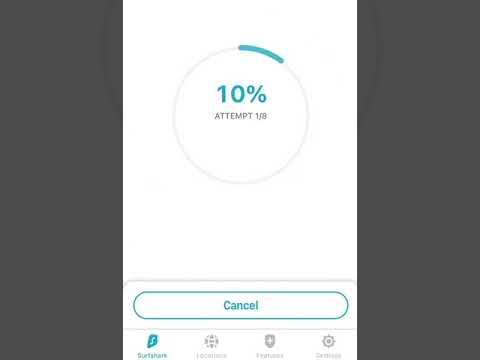
- Perform a DNS Leak Test to see whether your IP is protected. If it’s showing not your original IP but a New York one, you’re safe.
FAQ
Are VPNs Legal in the US?
Yes, it’s perfectly legal to use a VPN in the USA, and statistics tell us that many US users use a VPN at least once a week.
And even the FBI recommends doing so:

However, there are some illegal activities people can carry out with the help of a VPN, such as downloading copyrighted materials.
But in such cases, the activities themselves are against the law, not the VPN usage.
Should You Use a Free VPN in NYC?
There are many VPN providers like Opera VPN who have NYC-based servers and offer free VPNs.
However, they’re all run by private companies, which means they need to find a way to make money – and selling data of millions of people living in New York to third parties can make them a lot of money!
Such products defeat the point of a VPN, which is privacy and security.
For that reason, I don’t recommend free VPNs to New York users.
How Strict Are US Privacy Laws?
Unlike the EU, the US doesn’t have a single comprehensive privacy law.
Instead, privacy is regulated on a state-by-state basis and a sector basis.
However, the Patriot Act and the Five-eyes treaty can pose threats to the privacy of American residents, which is why you should always use a VPN.
Can I Get a Dedicated New York IP?
Yes, NordVPN, Surfshark, and CyberGhost all sell dedicated IPs, so you can get a US address that nobody else uses.
The service is available for an extra fee: €3.69 a month with NordVPN on the 2-year plan (31 countries, with New York among its US cities) and from about $3.75 a month with Surfshark, whose US dedicated IP cities are Los Angeles, San Jose, Dallas, and Denver.
Getting one from NordVPN takes a few minutes:
- Buy a NordVPN plan and add the Dedicated IP option at checkout, or later from your Nord Account.
- Choose the United States as the location, and pick New York if it’s on offer.
- Complete the rest of the order.
- Open the NordVPN app and connect to your dedicated IP from its own section in the server list.
- Contact NordVPN support if you need a specific US city that isn’t listed.
Can I Use My VPN for New York as a Chrome Extension?
Yes, all providers on this list except PrivateVPN offer Chrome extensions for your browser.
You don’t need an account to get the CyberGhost Chrome extension, and it’s free but doesn’t protect you from WebRTC leaks.
With other providers on the list, you need an active account and subscription, and the extensions come at no extra charge.
Does ExpressVPN Have New York Servers?
Yes, ExpressVPN has two servers in New York.
The VPN service’s representative confirmed that to me.

You can use both servers if you’re traveling from NYC and want to access local content from abroad.
Here’s how to do so:
- Open the ExpressVPN app on your device.
- Click on the three dots to open “VPN Locations”.
- Select “United States” and choose “USA – New York” or “USA – New York 2”.
Conclusion
With its excellent privacy and security features, adblock, and automatic kill switch, and 516 servers in New York, NordVPN is my choice as the best VPN for New York.
Surfshark is the runner-up, with safe connections on however many devices you want for a low price, and PrivateVPN comes third for the smallest speed drop in my tests. CyberGhost still offers a seamless streaming experience, and ExpressVPN suits security-first users.
Get a NordVPN subscription today with our exclusive discount and keep your Internet experience in New York safe and hassle-free!





